
Shop by category

How Do I Connect My VPRO1 Mini Projector to My Surface Tablet or to My Computer?

To project your screen to the mini projector from a Windows device please follow these instructions:

1) Install Mirror Op Sender on your Surface PRO (download link)

2) Install Recv on the mini projector (download link)

3) Connect the mini projector and the tablet to the same WiFi signal

4) Run Recv on the VPRO1
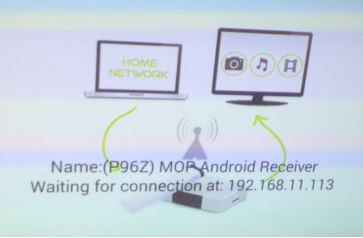
Illustration — How Do I Connect My VPRO1 Mini Projector to My Surface Tablet or to My Computer?

5) Launch Mirror Op Sender on your tablet and press the connect button
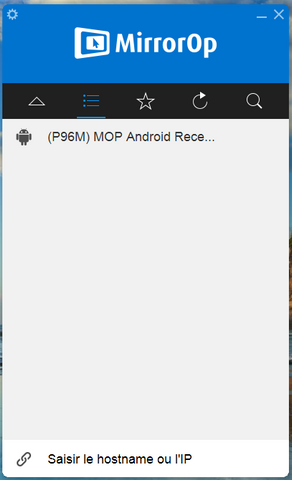
Illustration — How Do I Connect My VPRO1 Mini Projector to My Surface Tablet or to My Computer?

6) A pop-up should appear which says: “Activate your product”. Select, “Later”.

7) Press the “Play” button

Illustration — How Do I Connect My VPRO1 Mini Projector to My Surface Tablet or to My Computer?

Congratulations, your tablet screen should now appear projected by the VPRO1.

Need help or a replacement part?

Tell us the exact model and describe what you need. A photo of your equipment or the part helps our team check compatibility and availability.

More UK support