
If you recently bought our mini projector and you want to display the screen of your Apple device (iPhone / iPad). Nothing could be more simple!
Just launch the Happy Cast application on the VPRO1 mini projector.
Your stand-alone mini projector and your iPhone / iPad must be connected to the same WiFi network.
Using your iPhone, swipe up from the bottom to open the control center (see image below).
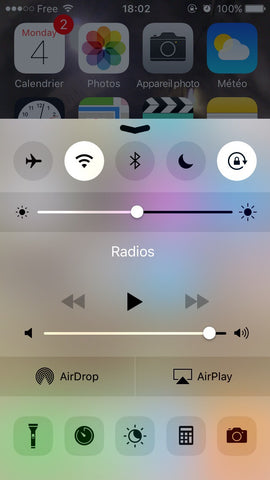
Select AirPlay. You will see Happy Cast on the list of devices.
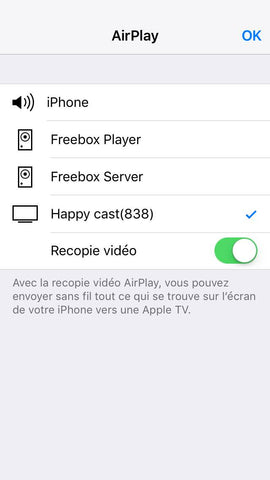
Your screen should now appear on the mini projector.
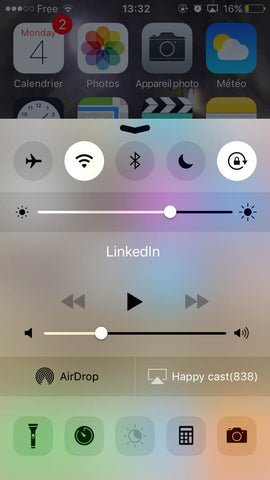
Please note, after iOS 7, the iPhone will block the transmission of videos, especially for Netflix and YouTube. We recommend that you use such applications (Like YouTube and Netflix) directly on the VPRO1.
To share videos from your iPhone or iPad you can use the HDMI to lightning adapter.
Tip: It is not always easy to move through the menus using the touch keys on the VPRO1. Plugging a mouse into the USB will save you time.