
4 Steps to Connect Your XPRO4 with Your Mobile Device (Android)

Step 1: Open Play Store then search for the “XPROcam” application and install it.
Step 2: Go to setting to turn on the XPRO4 WiFi. (How can I reach the Settings page) (Or press “the button with WiFi icon” and hold it for 3 seconds to start WiFi)
Step 3: Connect to TEC_XPRO4 WiFi (Password : 1234567890)
Step 4: Go back to the XPROcam App and select “Connect Camera”
You are now ready to control your XPRO4 using your mobile device. 🙂
Detailed Steps
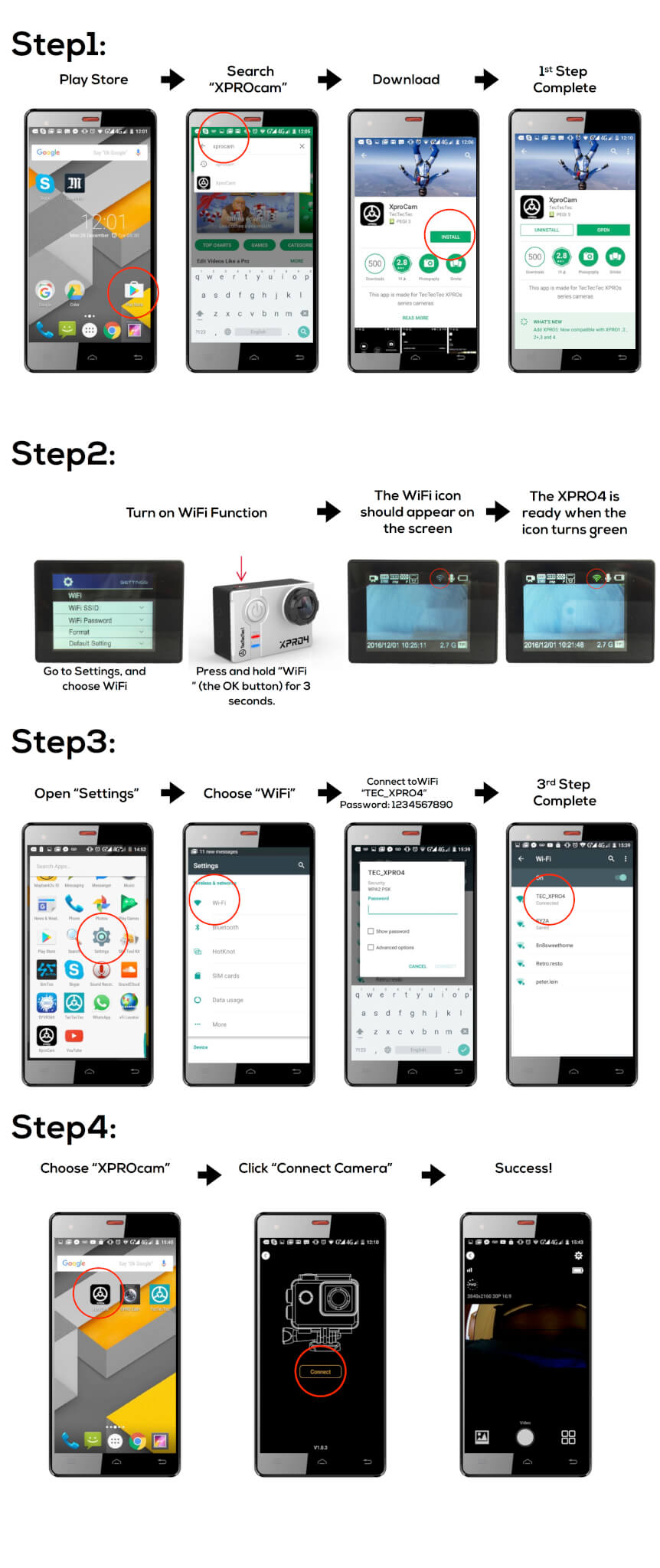
Now you can control your XPRO4 with your mobile device 🙂