
How to make a slow motion video with my XPRO2 and 2+ ?
How do I shoot slow motion video?
There are two different ways to shoot slow motion video:
- Beginner : Select slow motion mode, you will record your videos in slow motion. The slow motion video will be recorded on your SD card.
- Expert : Film using 1080p 60fps or 720p 120fps (90fps for XPRO2+), and “stretch” the video during post production with the help of movie maker software.
Using the beginner method: 
- First, set up the camera:
- Go to video settings and select “Slow motion”
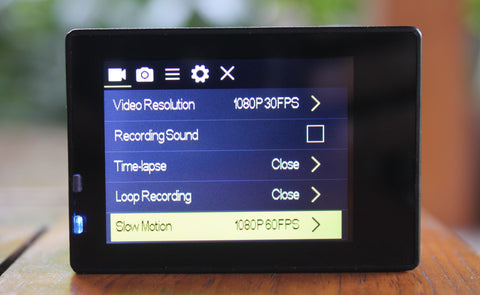
-
- You can now select either 1080p 60fps or 720p 120fps (90fps for XPRO2+) :
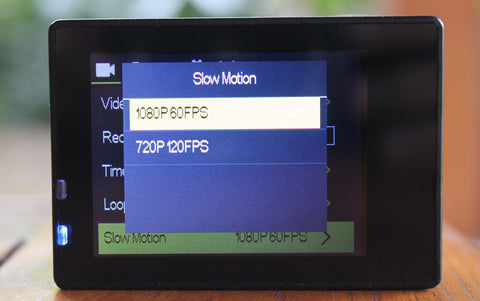
“P” stands for resolution, “FPS” stands for frames per second
- Now select “slow motion” mode:
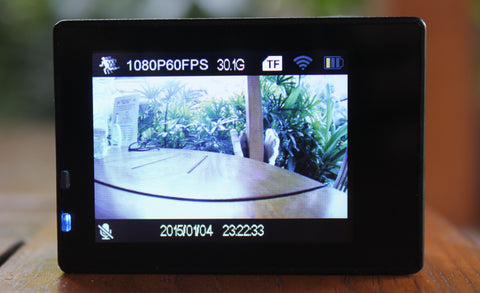
Push the “OK” button to start recording!
Expert method:
In order to be able to make playback speed more precise Experts make their slow motion videos in post production.
- Settings:
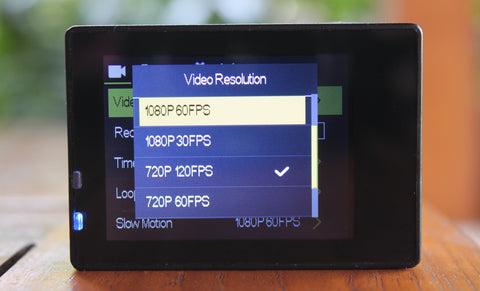
Go to video settings and select “Video Resolution”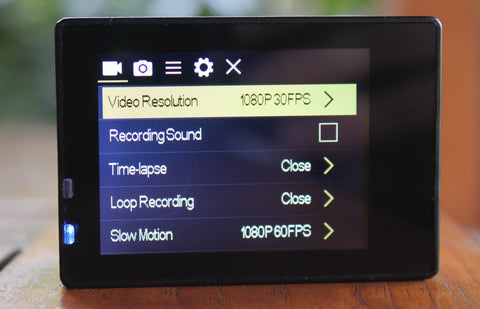
You can now select either 1080p 60fps or 720p 120fps (90fps for XPRO2+).
Go back to video mode to shoot video. You can then change the playback speed using software.